বিশ্বাস এমন পাখি যা ভোর যখন অন্ধকার থাকে তখন আলো অনুভব করে।
- রবীন্দ্রনাথ ঠাকুর
Faith is the bird that feels the light when the dawn is still dark.
- Rabindranath Tagore
About
When I’m not working my day job as a software developer, I enjoy learning about history, exploring open-source and self-hosted technologies, and appreciating pixel art.
Work Experience
Software Developer (June, 2024 - June, 2025)
As a Full Stack Developer at CCRPC (Champaign County Regional Planning Commission):
The U.S. Census Bureau’s data and geographical boundaries are accessible through two different APIs. Traditionally, planners had to manually join these two tables using their GEOIDs—a process that was time-consuming, required Python scripting knowledge, and was complicated by inconsistent GEOID formats across datasets.
I was tasked with developing a QGIS Plugin that automatically combined Census data and geographical boundaries through a clean, user-friendly GUI. The original codebase contained over 3,000 lines and suffered from limited functionality, poor extensibility, and exposed API keys. By rewriting it, I reduced the codebase to under 1,000 lines while improving performance, functionality, and extensibility.
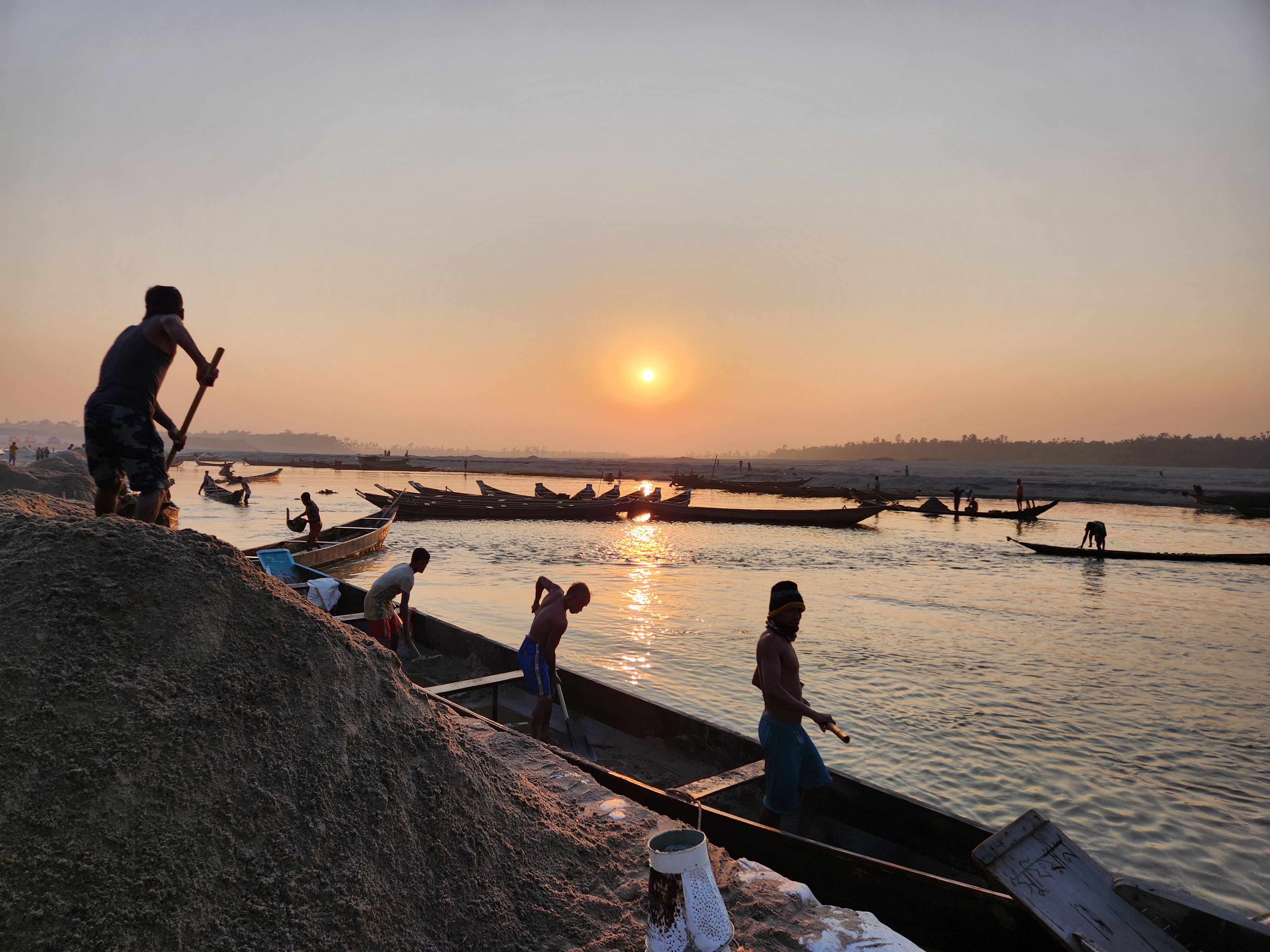
Sand and gravel are two highly sought-after raw materials in the global market. Coarse sand dredged from rivers is used in semiconductor and glass manufacturing. Finer sand is in high demand for wetland reclamation, which is important for expanding infrastructure in areas affected by climate change. Gravel is a crucial material for both concrete and asphalt production. Flowing from the Himalayas into the Gangetic Plain, the Brahmaputra deposits coarse silt and gravel directly into the Bengal Basin.
# Load necessary packageslibrary(raster)
library(rasterVis)
library(maptools)
library(rgdal)
# Set working directorysetwd("<YOUR DIRECTORY>")
# Load DEM filedem <-raster("RiverUSGS.tif")
plot(dem)
# Plot DEM mapplot(dem, col =rev(terrain.colors(50)))
# Set extent for croppingext <-extent(-92.2, -92.0, 38.4, 38.6)
# Crop DEM to desired extentdemnew <-crop(dem, ext)
plot(demnew)
# Plot cropped DEM mapplot(demnew, col =rev(terrain.colors(50)))
# Extract elevation values at each cellelevations <-getValues(demnew)
# Calculate flood riskflood_risk <- (1- (elevations /max(elevations)))
# Create raster object for flood risk layerflood_risk_raster <-raster(demnew)
values(flood_risk_raster) <- flood_risk
# Define custom color palette for flood risk mapmy_palette <-colorRampPalette(c("yellow", "red"))
# Plot DEM map with custom color palettelevelplot(demnew, col.regions =rev(terrain.colors(50)))
# Add flood risk map with custom color palettefloodriskplot <-levelplot(flood_risk_raster, alpha =0.5, add =TRUE, col.regions =my_palette(100))
floodriskplot
library(sf)
boundary <-st_read("Addresses.shp")
flood_data <-read.csv("flood_data.csv")
plot(flood_data$Height, flood_data$Discharge)
df2 <-data.frame(discharge = flood_data$Discharge, height = flood_data$Height)
# Save flood risk mapwriteRaster(flood_risk_raster, "flood_risk.tif", format ="GTiff", overwrite =TRUE)
df <-data.frame(Elevation = elevations, Flood_Risk = flood_risk)
# Create a line chart to show the relationship between elevation and flood riskplot(df$Elevation, df$Flood_Risk, type ="l", xlab ="Elevation", ylab ="Flood Risk", main ="Elevation vs Flood Risk")
noaa_data2 <-read.csv("RiverData2.csv")
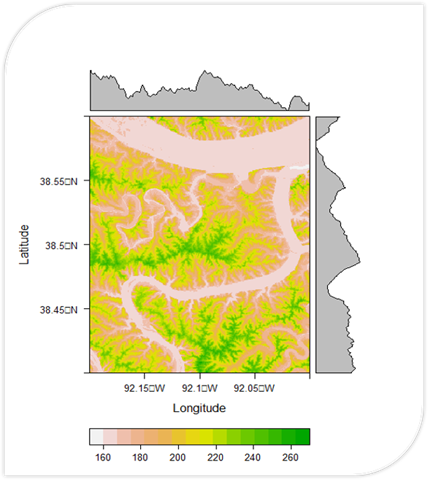
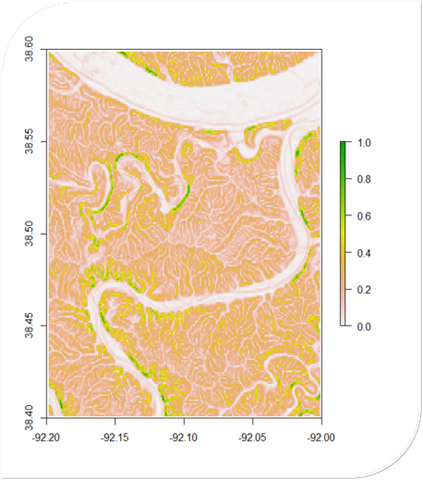
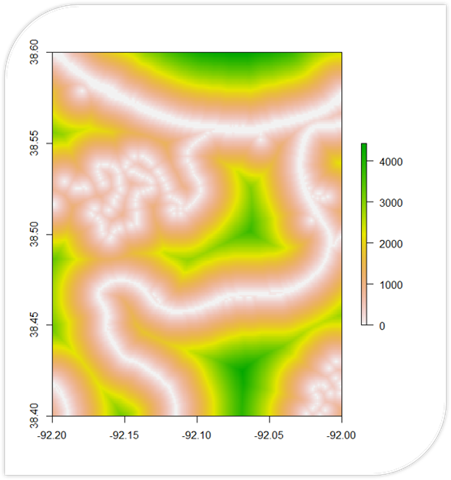
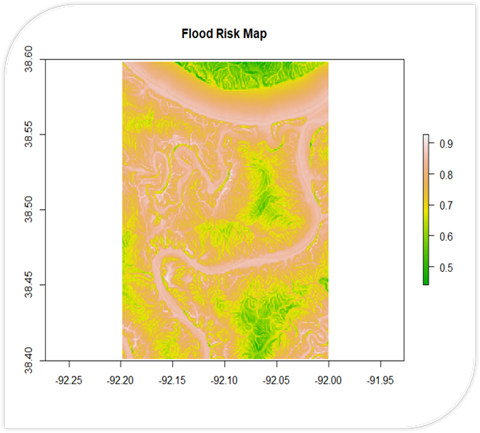
A Flood Risk Calculator written in R. It uses DEM data to calculate slope and proximity (shown in their
own respective maps). These are used to calculate a final flood risk assessment on a scale of 0 to 1.